Synchronize timers, counters, or clocks to your movie set camera
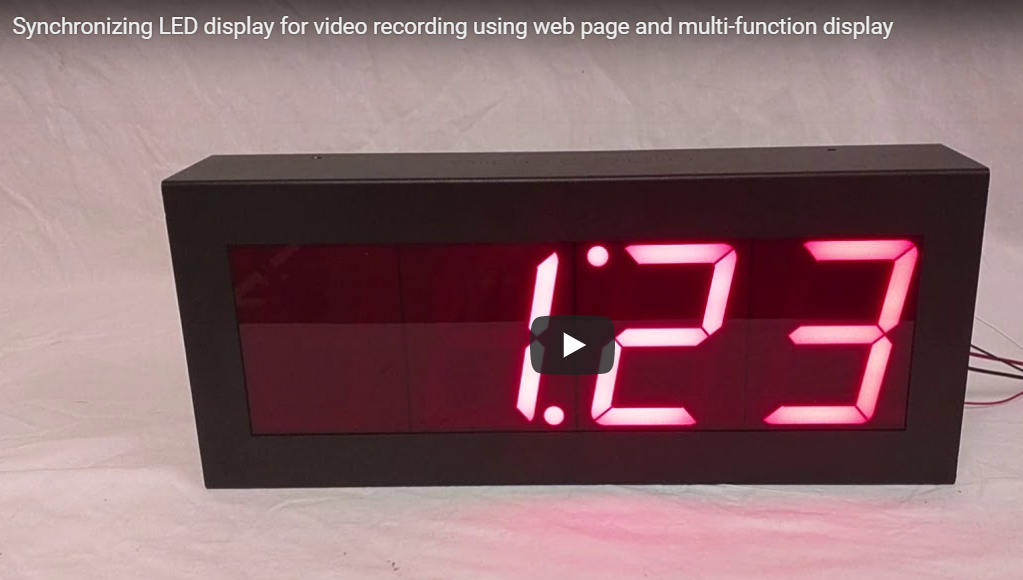
This custom Multi-Function Timer build showcases how a flexible display platform can be adapted for highly specific, real-world production environments. While the core functionality remains consistent with our standard unit—featuring up-timer, down timer, time-of-day clock, and static number display modes—this version introduces targeted enhancements designed for professional film and television use.
Using the same web-based control interface demonstrated in our previous overview, the display can be configured in real time by entering command protocols directly into a connected device. This allows seamless switching between operational modes without the need for physical adjustments. Whether setting the unit to count upward, count down, display a fixed numeric value, or function as a live time-of-day clock, the system responds instantly to user input. Additionally, formatting options such as a central decimal point or colon can be toggled depending on the visual requirement, giving users full control over how information is presented.
What sets this custom iteration apart is its role in a television production environment. This unit was specifically developed for use on the set of the TV show “New Amsterdam,” where modernized hospital scenes required clean, flicker-free digital clock displays. During filming, an issue arose due to the interaction between the camera’s frame rate (24 frames per second) and the display’s refresh rate, resulting in a visible flicker known as a moiré pattern.
To solve this, we implemented a key customization: adjustable refresh rate control via the same serial command interface. This allows the production crew to fine-tune the display’s refresh rate in real time, ensuring compatibility with camera settings and eliminating visual artifacts on screen.
In practice, this means:
- The refresh rate can be dynamically set (e.g., 80 Hz, 60 Hz, 20 Hz) through command input
- Optimal synchronization with camera frame rates can be achieved to eliminate flicker
- The display remains stable and clear under various lighting and filming conditions
For example, when the refresh rate is set to 60 Hz, the display updates smoothly enough to align with the camera’s capture rate, resulting in a steady, flicker-free image. Lower or mismatched refresh rates can produce visible inconsistencies, which this customization allows users to correct instantly.
Another important modification for this project involved physical design. All external wiring connections were relocated internally, allowing cables to be routed through the back of the unit. This ensures a clean installation with no visible wires—an essential requirement for on-camera use in professional sets.
Key highlights of this custom Multi-Function Timer include:
- Multiple display modes: up-timer, down timer, time-of-day clock, and static number display
- Web-based control interface with protocol-driven configuration
- Adjustable refresh rate to eliminate camera-induced flicker
- Custom internalized wiring for clean, production-ready installation
- Flexible numeric formatting with colon or decimal display options
This project demonstrates how a standard product platform can be engineered into a specialized solution for demanding environments like film and television production. By combining software flexibility with hardware customization, the result is a highly adaptable display system that performs reliably both on camera and in real-world applications.
See similar product: DC-40N-T-DN-UP-Static
Watch tutorial video on YouTube
Visit DC-Digital website
Contact us to ask about our customized products!
No Comments