Network Web Page Controlled 4-Relay IOT Module for Shift or Class Change.
- By : DC-Digital sales & marketing
- Category : Clocks, Maintenance Timer, Manufacturing, NEMA case, Network, Network Displays - Browser Based, System Synchronized Clocks, Time of Day, Timers
- Tags: DC-106, Dc-Digital, EZ-Time Software, network, Network Browser Based Displays no software required, network clock, Network Clocks, Network Configuration, Network Controlled Displays, school-clock
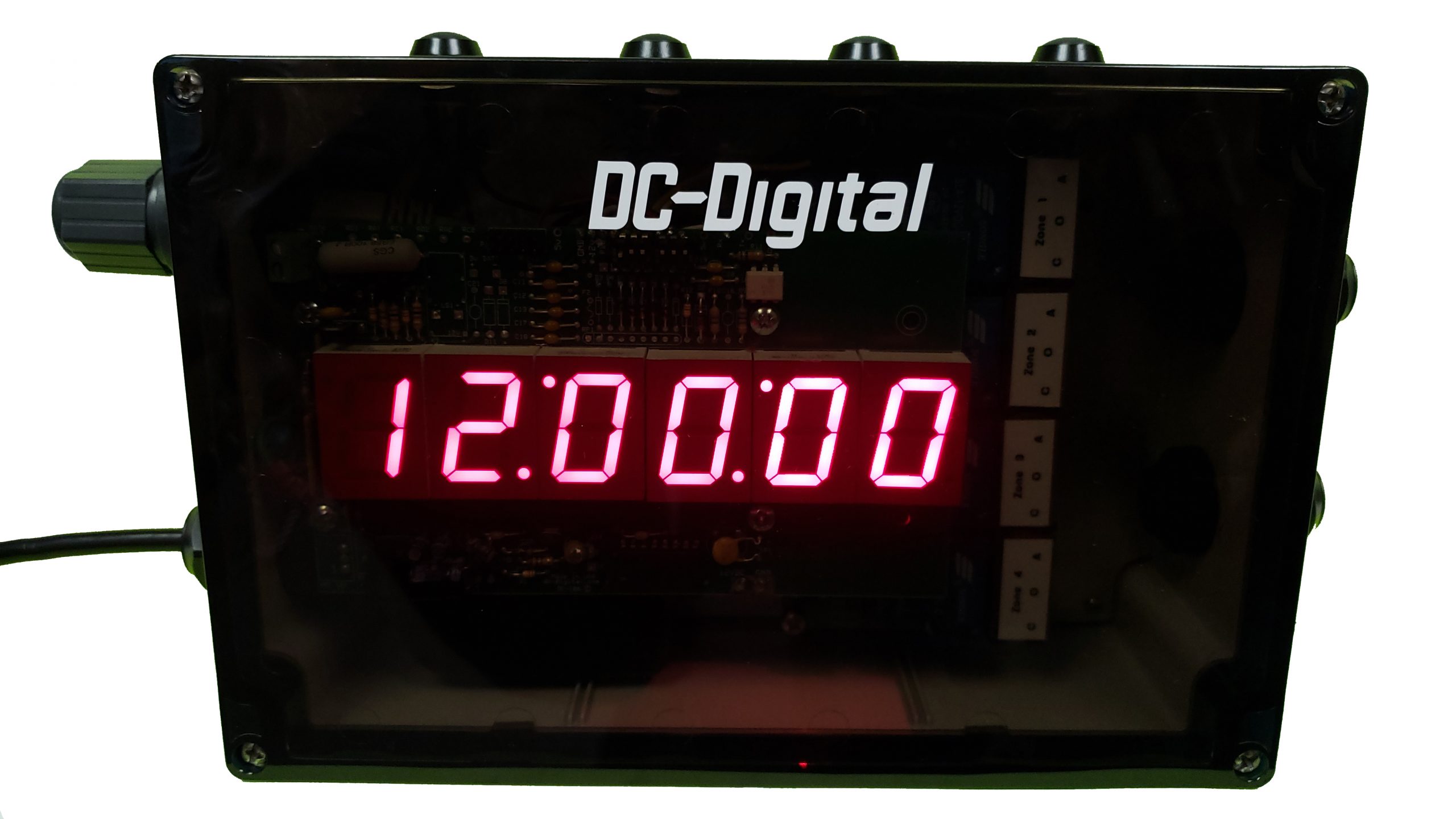
Now you can manage a complete weekly bell, lighting, or shift control schedule from a single device. The DC-106N-BR50-4RM provides a flexible scheduling platform capable of handling a full seven-day, 50-event program while also maintaining synchronized time using DC-Digital clock synchronization. Designed for environments that rely on precise timing and automated control, this system can manage bells, lights, alarms, doors, or other electrical equipment through four independent relay zones.
Because the system operates through a built-in browser-based webpage, programming and control can be performed from nearly any device connected to the network. A computer, cell phone, or tablet can access the unit through its IP address, allowing schedules to be configured or relay outputs to be triggered without needing direct physical access to the device. Once connected through a LAN, WAN, or peer-to-peer network connection, the device becomes a centralized control point for timed events throughout a building or facility.
The DC-106N-BR50-4RM combines time display functionality with relay control, allowing operators to view the current time while simultaneously managing automated events. Its six-digit time-of-day display provides a clear reference for scheduling operations while the internal relay system performs the programmed actions at precise times. This integration allows the system to serve as both a visible time reference and a control hub for building automation tasks.
Scheduling events is handled through the onboard web interface or by using EZ-Time scheduling software. The device supports a complete seven-day program with up to 50 scheduled events. Each event can activate connected devices such as bells or lighting circuits for a defined duration. The scheduling flexibility makes the unit ideal for schools, factories, warehouses, and facilities that require consistent timing for operational processes.
Because the system contains four relay zones, multiple schedules can operate simultaneously. Each relay can function independently, which means the unit can control several different systems from one device. For example, one relay could manage class bells, another could activate hallway lighting, while additional relays could control door locks or alarms.
Key Functional Capabilities
- Weekly 7-day scheduling with up to 50 programmable events
- Six-digit time-of-day display for accurate time reference
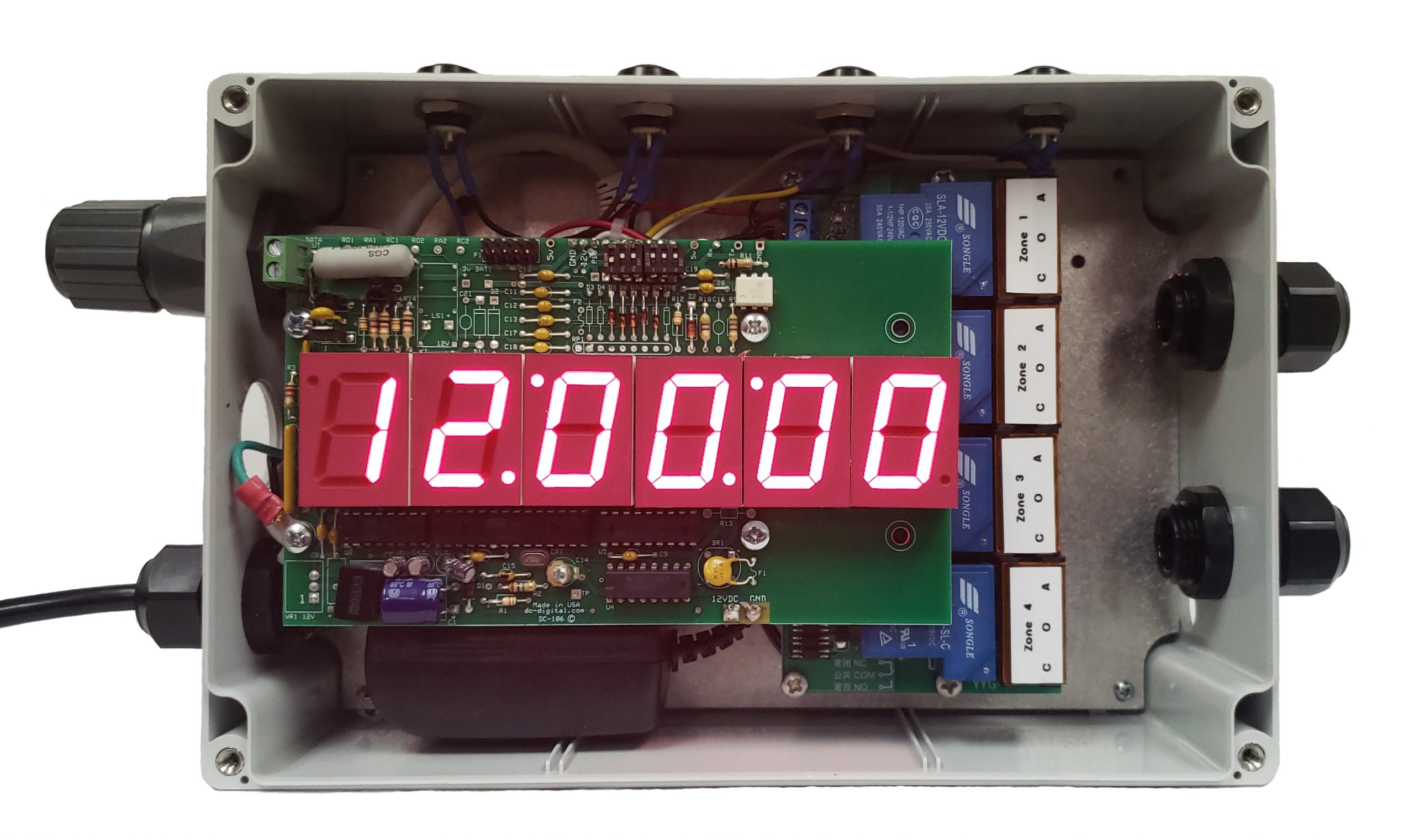
- Four independently controlled SPDT relay zones
- Webpage browser interface for remote configuration and control
- LAN, WAN, or direct peer-to-peer network connectivity
- EZ-Time scheduling software compatibility
- Manual relay activation through push buttons on the enclosure
Each relay zone can be triggered through scheduled events, manual commands from the web interface, or by pressing the physical push-button switches located on top of the enclosure. This provides both automated and immediate control when needed. For instance, an operator can instantly trigger a bell or alarm without waiting for a programmed schedule.
The internal relay system is designed to control a wide range of external equipment. Each relay is rated at approximately 360 watts and can be wired using either the normally open or normally closed terminals depending on the required circuit configuration. This allows users to connect devices in a way that best suits the operational needs of their system.
Relay ratings have been tested under both AC and DC loads, including:
- 120 volts AC at 3 amps
- 24 volts DC at 15 amps
These ratings allow the relays to operate devices such as bells, lighting circuits, warning alarms, fans, and signaling equipment. When wiring external equipment, the incoming power line is typically connected to the relay arm terminal, with the outgoing connection routed through either the open or closed terminal depending on the desired operation.
Network Setup and Webpage Control
Once powered and connected to an Ethernet network, the device can be located using IP configuration tools. By identifying the unit through its MAC address, users can open the embedded webpage interface where configuration and control commands can be entered. The webpage provides access to relay activation controls, scheduling configuration, and network setup options.
After powering up, the device performs a brief startup sequence before accepting commands. This delay allows the internal network module to establish its IP address and ensures reliable communication once the system is fully initialized.
Through the webpage interface, users can:
- Set or adjust the system time
- Activate relays manually
- Configure network settings
- Send protocol commands to the device
- Monitor system operation remotely
The network settings page also allows users to switch between DHCP and static IP addressing. For long-term installations, a static IP configuration is recommended so that the device maintains a consistent address on the network.
Scheduling with EZ-Time Software
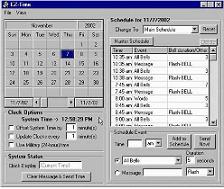
For advanced scheduling, the DC-106N-BR50-4RM can be connected to EZ-Time software using a virtual COM port connection. This process bridges the network device to the scheduling software so it behaves like a traditional serial connection.
The setup process includes configuring a virtual COM port using the NetBurner Virtual COM Port utility. During configuration, the software must be set to client connection mode, the remote hostname must match the device’s IP address, and the remote port should correspond to the device’s listening port (commonly port 23).
Once the virtual connection is created, EZ-Time can communicate with the device to deliver scheduled commands and synchronize time automatically.
The communication process works as follows:
- EZ-Time sends update data approximately every 10 seconds
- The device checks for new scheduling information
- Within about one minute, scheduled events are received and executed
- The displayed time synchronizes with the scheduling software
This automated communication allows the system to maintain accurate timing and execute scheduled relay activations without manual input.
In demonstration setups, schedules can be created that trigger relay outputs at defined intervals. For example, a test program may activate all four relays for three seconds every minute, demonstrating how the system can operate bells, signals, or other connected equipment.
Manual Control and Instant Activation
While the device excels at automated scheduling, it also provides instant manual control when needed. EZ-Time includes a “Send Now” function that immediately triggers relay activation. This feature is useful for system testing or issuing an unscheduled signal.
The physical push buttons located on the enclosure provide another method for manual activation. Each relay zone can be triggered independently, allowing operators to quickly test circuits or activate connected equipment without accessing the software interface.
Flexible Automation for Many Applications
The DC-106N-BR50-4RM is designed to simplify automated control in environments where precise timing is essential. By combining a time display, network connectivity, scheduling software compatibility, and high-capacity relays in a single unit, the system provides a powerful solution for managing scheduled events across a facility.
Typical applications include:
- School class bell systems
- Industrial shift change signaling
- Facility lighting automation
- Door or access control timing
- Alarm or alert signal scheduling
Because each relay can operate independently and multiple schedules can run simultaneously, the system offers flexibility for facilities that need to coordinate several timed processes at once.
By integrating browser-based control, EZ-Time scheduling, and reliable relay outputs, the DC-106N-BR50-4RM delivers a centralized and easy-to-manage platform for controlling bells, lights, doors, and other automated systems across a network.
See similar product: DC-106N-RM-4
See software product: EZ-Time software
Watch tutorial video for product on YouTube
Watch tutorial video on setting up software
Visit DC-Digital website
Contact us to ask about our customized products!
No Comments